Can a deteriorating photo be saved?
How to fix mottled, deteriorating old photos
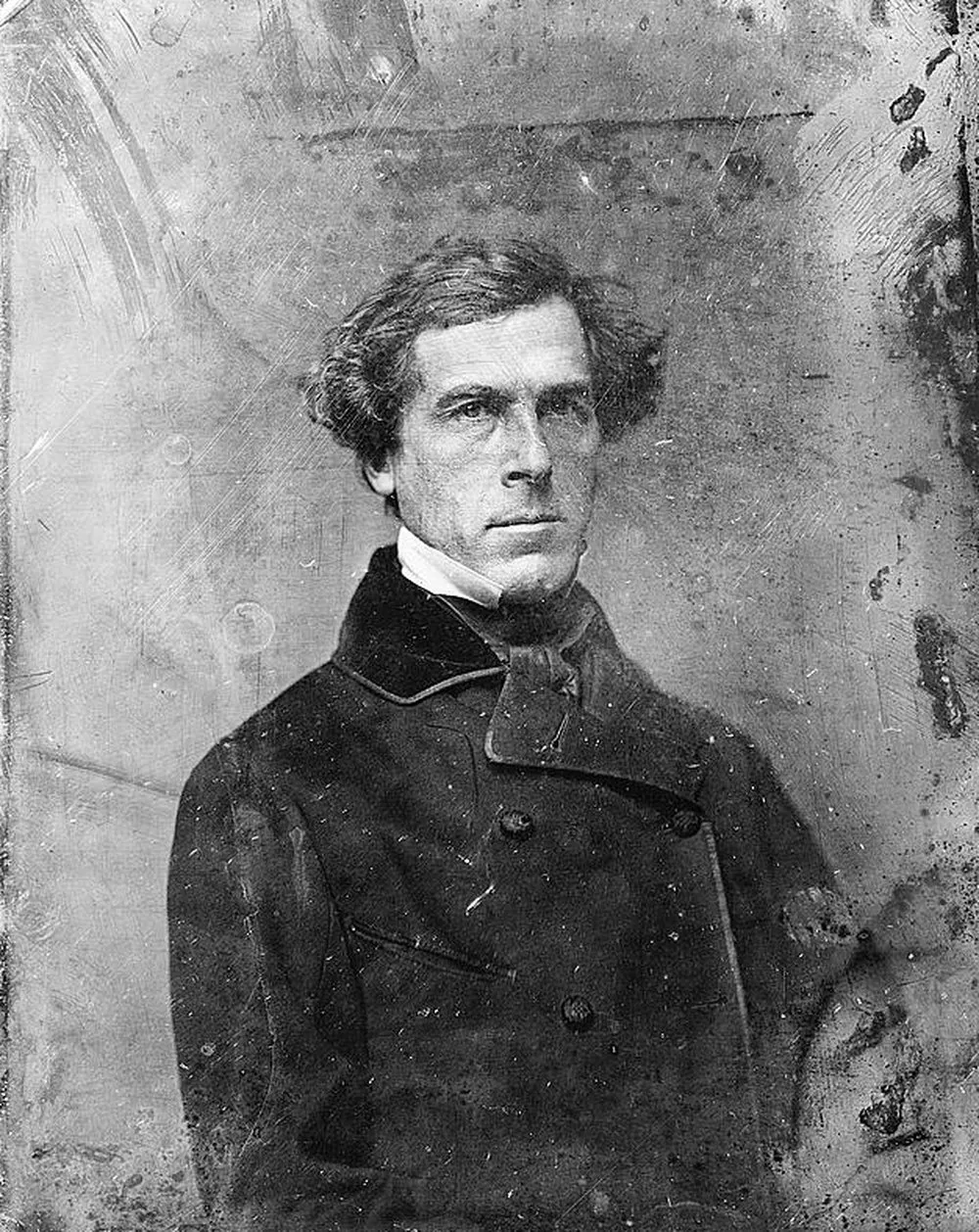
Sometimes a photo is not damaged in one place, it is quietly failing everywhere: a mottled texture spreading through the image as the surface breaks down.

What this damage is
Mottling is the image layer itself giving way, from repeated humidity swings, temperature cycles in attics and garages, or the slow chemistry of a century. It reads as an all-over texture, blotchy patches, edges creeping inward.
It is progressive. A photo mottling in a shoebox will be worse in five years, which makes scanning it now less housekeeping and more rescue.
Can it be fixed?
Restoration handles mottling as a texture to see through rather than spots to remove, rebuilding the underlying portrait across the whole surface, as the example shows. The stronger the remaining detail, the closer the result stays to the original. Because deterioration is progressive, the scan matters more here than anywhere: today's scan preserves more photo than next year's will.
Before any repair, get a proper scan: the DPI advisor gives the right setting in two questions, and the scanning guide covers the craft.
Common questions
- Why is my photo deteriorating evenly all over?
- The image layer itself is breaking down, usually from humidity cycles or its own aging chemistry, rather than from an event like a spill. It will continue, so scan it soon.
- Can deterioration be stopped?
- Slowed dramatically, yes: stable moderate humidity, no attics or garages, acid-free storage. Stopped entirely, no. The permanent copy is the scan, not the paper.
- Is a deteriorating photo worth restoring?
- The example on this page had lost its whole surface to mottling and came back as a clean portrait. As long as the face still reads in the original, it is worth the attempt.
The damage is the before. You hold the after.
Real repairs on real photographs, made by the model inside Photo Restore. Your family's copies deserve the same rescue.